Business Starter
30 GBpooled storage per user
- Gmail with your domain
- Meet · 100 participants
- Gemini in Gmail
- Management and security

 YOUR TEAM, CONNECTED
Google Workspace for your team in Morocco. Bring business Gmail, Drive, Meet and shared documents together in one connected workspace.
Gmail · Drive · Meet · Gemini
Communicate, create and organize your work in one suite.
Business email
Shared files

Video meetings
Team calendars

Team messaging
Documents
Spreadsheets

Presentations

AI assistant

Video creation

Forms

Notes

Team sites

Tasks

AI research
No-code apps
Business editions support organizations with up to 300 users.
30 GBpooled storage per user
2 TBpooled storage per user
5 TBpooled storage per user
Storage is pooled within the organization. AI features and limits vary by edition.
Gemini can help you draft, rephrase and explore ideas. App integrations depend on your edition.
Stay in control: review responses and verify information before sharing.
Choose an edition with Gemini →
Contact your colleagues wherever they are.
Pooled storage depends on your edition: compare Business Starter, Standard and Plus above.
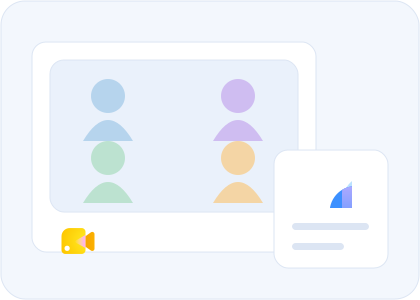
Shared calendars allow you to check the availability of your colleagues and schedule meetings by automatically sending them invitations by e-mail.
Turn your meeting into a videoconference with a click from a computer, phone or tablet with a camera.
Share your screen to submit your work to the team and make live decisions.
Work with ease on documents, spreadsheets and slides on all your devices, with or without an Internet connection.
Share your documents with colleagues or people outside the company. Watch other people's changes in real time, communicate via the built-in chat, and ask questions through comments.
Several people can work on the same document at the same time: all changes are saved automatically.
Keep all your working documents in a secure area accessible from your computer, phone or tablet.
Quickly invite others to view, download, and work on a file - never having to send it as an attachment.
Updates are automatically saved and stored in Drive. Each collaborator has access to the latest version of the files.
Everything you need to bring your project to life.
Easily manage your user accounts, devices and data securely.
Prepare an account inventory, data volumes and access to your current email system. Migration methods depend on the source; plan tests and MX changes before switching your team.
Verify domain ownership, create accounts and prepare email DNS records. Changing MX records directs new mail to the new platform: do it at the planned migration time.
Count the people who need their own account, then choose an edition suited to your storage and meeting needs. Aliases and groups are not always additional user accounts: review your setup before ordering.
Choose your edition and order online. Then prepare your domain and user accounts to configure your workspace and organize your migration.
Choose and order →Choose an edition for your team and storage needs.
DNS access and accounts to create.
Data, schedule and validation.
Google Workspace is the current name for G Suite, with business editions for different needs.
Yes. Business Gmail uses your domain, such as contact@yourbusiness.ma. Domain ownership verification and email DNS configuration are required.
List accounts, email volumes and files. Order your plan, then prepare access and a migration schedule with our team.
Choose Business Starter, Business Standard or Business Plus and order directly online. Prices, options and billing terms are shown in the cart before you confirm your order.
Prepare an account inventory, data volumes and access to your current email system. Migration methods depend on the source; plan tests and MX changes before switching your team.
Verify domain ownership, create accounts and prepare email DNS records. Changing MX records directs new mail to the new platform: do it at the planned migration time.
Count the people who need their own account, then choose an edition suited to your storage and meeting needs. Aliases and groups are not always additional user accounts: review your setup before ordering.
Google logos and app icons retain their original identity. Google Workspace and app names are trademarks of Google LLC.