

Registering a domain name doesn’t mean owning forever, you’re basically renting for a limited time (between 1 to 10 years maximum). Once your domain name reaches its expiry date, it’s necessary to renew it to prevent losing it. So what happens if you don’t renew your domain? On the expiry date, your website and emails stop working, the domain can get parked and risks being taken by someone else as soon as it becomes available. Not only that, but to restore your expired domain, you may have to pay higher fees.
For businesses, bloggers, freelancers, and anyone building something online, your domain name is like your digital storefront. If it disappears—even briefly—you’re shutting your doors to the world.
Table of content
What Happens When a Domain Expires?
Most people think that when a domain expires, it’s gone instantly. But in reality, domain expiration is more like a multi-step process—and knowing how it works can give you time to fix things if needed.
First, your domain is in the active phase while it’s registered and paid for. If you forget to renew it by the expiration date, most registrars will give you a grace period, typically lasting 30 to 45 days. During this time, your website and email might go offline, but you can still renew your domain at the regular price. If you don’t act during that grace window, it enters the redemption period—a 30-day span where you can still get it back, but you’ll likely pay an additional fee, often around $100 or more. Once that period ends, the domain is in pending deletion, and after about five more days, it becomes available for anyone to register.
This means you don’t lose your domain the second it expires, but the further along it gets, the harder—and more expensive—it becomes to recover.
What Causes Domains to Expire Unexpectedly?
You’d be surprised how often people think they’ve set everything up correctly, only to find out too late that something small caused their domain to lapse.
Auto-renewal fails: Maybe your credit card expired or got replaced. Maybe there was a billing issue and the payment didn’t go through. You might have even set up auto-renewal years ago and forgotten to check whether it was still working. Sometimes, it’s as simple as having an old or unused email address listed on your account—so when the registrar sends you reminders about the upcoming domain expiration, you never see them.
Wrong email address: Using old work email or a domain‑based email (like info@yourdomain.com) as your contact means if the domain expires, that email goes down too, and you can’t even get alerts about the problem
Too many registrars: And then there’s the problem of fragmentation. If you own multiple domains or have registered them through different providers over the years, it’s easy to forget which domain lives where. That confusion leads to missed renewal dates, especially for side projects or old websites that still matter.
How to Check Your Domain Expiration Date
If you’re not sure when your domain is due to expire, don’t worry—it’s easy to check.
You can look up your domain using a WHOIS lookup tool (like whois.net, ICANN WHOIS, or your own registrar’s search tool). Just type in your domain name
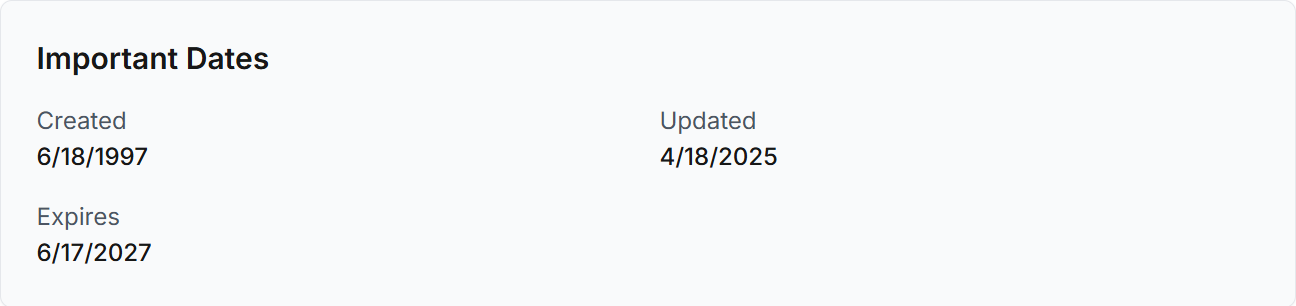
and it will show you information like the registrar, the creation date, and most importantly—the domain expiration date.
Alternatively, if you have access to your domain registrar’s dashboard (like Cap Connect, GoDaddy, Namecheap, Bluehost, etc.), log in and check your domains list. Most registrars will display the domain expiration date right next to each domain name. This is also the best place to enable auto-renewal and update your billing information.
How to Protect Your Domain from Expiring
Now that you know how domain expiration works and how to check it, let’s make sure it doesn’t sneak up on you.
Enable auto-renewal. This is your best friend. Most domain providers offer an auto-renew option that charges your card and keeps the domain active. Just make sure your credit card information is up to date.
Use a permanent email address. Don’t use an email address tied to your domain (like info@yourdomain.com) as your contact email for domain renewal notices. If your domain expires, that email will stop working too. Instead, use a long-term personal address—Gmail, Outlook, etc.
Update your contact and billing details. Even with auto-renewal on, expired payment methods can cause it to fail. Check your registrar dashboard every now and then to confirm everything’s current.
Add calendar reminders. Set one a month before, and another a few days before your domain expiration date—just in case. It’s a simple step that could save you major stress.
Register your domain for multiple years. If you’re serious about your website, register it for 3–5 years at a time. It’s one less thing to worry about each year, and some search engines see it as a sign of long-term credibility.
What If It’s Already Expired?
If your domain expired and your website is down, don’t panic—yet.
Log in to your domain registrar immediately and check the domain status. If it’s still in the grace period, you should be able to renew it at the normal price. If it’s in redemption, you may have to pay extra to recover it. Every day counts here, so act fast.
If it has moved to pending deletion, unfortunately you may not be able to recover it. In that case, you can try backordering it or registering a different version of your domain name. But in many cases, expired domains are bought by third parties right after deletion.